Using Multiple Commands with Siri
About This QuickTip
Join me in uncovering the wonders of iOS 17's Siri enhancements in this QuickTips tutorial. In this video, I'll walk you through the exciting changes that allow you to use Siri in a whole new way. Say hello to chained commands that streamline your tasks and the convenience of Siri keeping its ears open at all times. And now you don't have to say 'Hey' before every Siri interaction, your device interactions become even more fluid and intuitive.
Step by Step
Ask Siri your first command
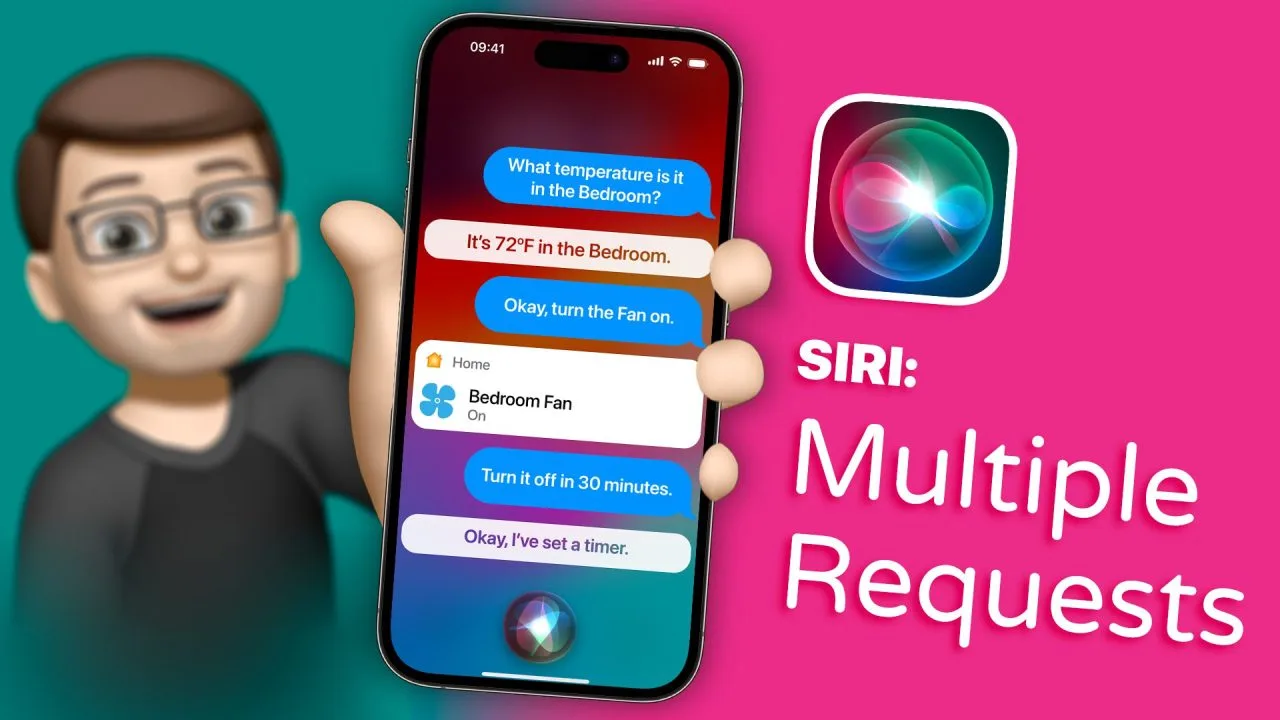
Start with 'Hey Siri' or just 'Siri' and ask your first question, for example 'what's the temperature in the bedroom?'
Carry straight on with the next command
Once Siri answers, follow up with your next command without saying Hey Siri again, like 'in that case put the fan on'. It remembers that you were talking about the bedroom and chooses the bedroom fan as opposed to anything else.
Add on another request
You can keep going in the same way, for example 'Siri turn the bedroom lights on', then 'and could you also turn the fan off in 10 minutes'. Just like that there's an automation to turn the fan off in 10 minutes' time.
Transcript
As well as losing the 'Hey' from Hey Siri, you can now chain commands together which means that you haven't got to keep saying Hey Siri, Hey Siri, Hey Siri in between each command!
Now that sounds a bit weird, but this is how it actually works in practice...
[Jacob] "Hey Siri, what's the temperature in the bedroom?"
[Siri] "It's 23.3 degrees Celsius in the bedroom"
[Jacob] "Ah okay, in that case put the fan on"
It's remembered that I was talking about the bedroom and it's chosen the bedroom fan as opposed to anything else.
This a more natural conversation.
Let's try one more...
[Jacob] "Siri turn the bedroom lights on"
Perfect!
[Jacob] "And could you also turn the fan off in 10 minutes"
And just like that there's an automation to turn the fan off in 10 minutes time.
You can chain multiple commands together, not just two at a time, and it will remember what you were doing as you're going forwards in that command.
That means you haven't got to keep repeating yourself time and time again when talking to Siri - and that's another little thing that makes your iPhone even better with iOS 17.
Frequently Asked Questions
Do I still need to say Hey Siri on iOS 17?
No, iOS 17 loses the 'Hey' from Hey Siri, so you can just say 'Siri'. You also haven't got to keep saying it in between each command.
Can Siri remember what I was just talking about?
Yes. If you ask about the temperature in the bedroom and then say 'put the fan on', it remembers you were talking about the bedroom and chooses the bedroom fan.
How many commands can I chain together with Siri?
You can chain multiple commands together, not just two at a time, so you haven't got to keep repeating yourself time and time again when talking to Siri.
Good to know
- You can chain multiple commands together, not just two at a time, and it will remember what you were doing as you're going forwards in that command.
Disclaimer and trademarks
The content used in this video is intended for educational and informational purposes only. All rights to the images, music, clips, and other media used belong to their respective owners. I do not claim ownership over any third-party content used. This video has not been authorised, sponsored, or otherwise approved by Apple Inc. iPhone, iPad and iPadOS are trademarks of Apple Inc., registered in the U.S. and other countries and regions. iOS is a registered trademark of Cisco Systems Inc. Whilst I have done my best to list all applicable trademarks for this video, in the (hopefully unlikely) event that I have missed any you can find a full list of trademarks registered to Apple Inc. on their website. Finally, please note that whilst every effort has been made to ensure the information contained within this video was correct at time of publication, please be aware that as future updates and software changes occur some or all elements of this video may become outdated. I will endeavour to remove videos which are completely obsolete so as not to cause confusion!