Get Webpage Update Alerts with Notify Me in Safari
About This QuickTip
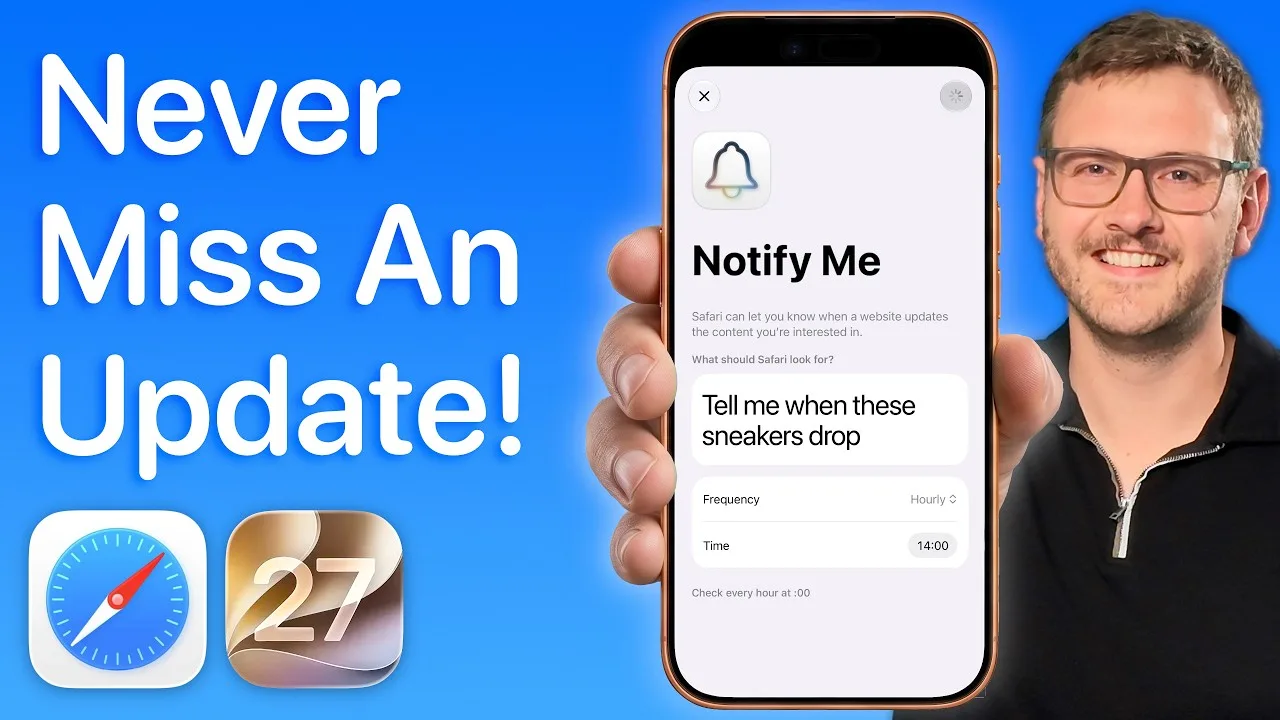
Tired of checking the same webpage over and over for concert announcements, news stories or blog updates? Safari's new Notify Me feature in iOS 27 lets your iPhone watch a page for you and send a notification the moment something changes. I'll show you how to describe exactly what you want to be told about, choose how often Safari checks, and edit or turn off an alert whenever you like.
Step by Step
Open Web Page Options and tap Notify Me
Go to the web page you don't want to keep checking. Tap onto Web Page Options at the bottom, and then tap onto Notify Me.
Type what you want to know about
Safari is going to ask what you want to be notified about. Type in what it is you want to be reminded about, for example when new artists are announced.
Choose how often Safari checks
You can have it check hourly, daily, weekly, or even monthly, and you can choose what time that should be happening. I set mine to be hourly.
Press the tick to set it up
When you press the tick, that's going to be set up and ready to go. You'll know it's working because at the top of the web page it shows a little message saying it's being monitored, and you can edit it or turn it off at that stage.
Wait for the notification
Now you can just sit back and wait. If something changes, you'll get a notification on your iPhone or your iPad telling you that something's new on that page, and you should go and check it out.
Transcript
A really useful new feature in iOS 27 is the ability for your phone to monitor web pages for you, alerting you when something changes. Let me show you why you might need this, and of course, how it works.
And before I do, if you're new around here, then hi, I'm Jacob. I make hundreds of iPhone and iPad videos to help you make the most of your devices. Please join me on my journey and press subscribe, and then you won't miss any in the future.
Okay, so I quite often use my web browser to check on concerts that are coming up, news stories that are happening, blogs that I like, and unless I go onto the page, I'm not going to know that something new has happened. Well, we can actually set up a brand new feature in Safari called Notify Me, and we can tell it what to notify us about. And then, if something changes, you'll get a notification on your iPhone or your iPad telling you that something's new on that page, and you should go and check it out.
So, here I am on the Eden Sessions website, which is the live music venue nearby, and they announce new artists fairly regularly throughout the winter. But I don't want to keep checking the web page. So, what I'm going to do is tap onto Web Page Options at the bottom here, and then tap onto Notify Me. From here, Safari is going to ask what you want to be notified about, and you can type in what it is you want to be reminded about. So, for me, it's when new artists are announced.
Then, you can change how often the update's going to check. You can have it check hourly, daily, weekly, or even monthly, and you can choose what time that should be happening. I'm going to set mine to be hourly. And then when I press the tick, that's going to be set up and ready to go. I know it's working because at the top of the web page, it shows a little message saying it's being monitored, and I can edit it or turn it off at that stage.
But now I can just sit back and wait. And for this video, there weren't any Eden Sessions acts being announced. But I have set up a Notify Me on the BBC News website for anytime a new news story is published. That should come up a little bit often. And there you go, almost like I planned it.
That's the new Notify Me feature in Safari on iOS 27. Make sure you subscribe and then check out this QuickTip next.
Frequently Asked Questions
How do I get a notification when a web page changes on my iPhone?
In iOS 27, Safari has a brand new feature called Notify Me. Tap onto Web Page Options at the bottom, tap onto Notify Me, and type in what you want to be notified about.
How often does Safari's Notify Me check a page?
You can have it check hourly, daily, weekly, or even monthly, and you can choose what time that should be happening.
How do I edit or turn off Notify Me in Safari?
When a page is being monitored, there's a little message at the top of the web page saying so, and you can edit it or turn it off from there.
Good to know
- I quite often use my web browser to check on concerts that are coming up, news stories that are happening and blogs that I like, and unless I go onto the page I'm not going to know that something new has happened.
- I've set up a Notify Me on the BBC News website for anytime a new news story is published, which comes up fairly often.
Disclaimer and trademarks
The content used in this video is intended for educational and informational purposes only. All rights to the images, music, clips, and other media used belong to their respective owners. I do not claim ownership over any third-party content used. This video has not been authorised, sponsored, or otherwise approved by Apple Inc. iPhone is a trademark of Apple Inc., registered in the U.S. and other countries and regions. iOS is a registered trademark of Cisco Systems Inc. Whilst I have done my best to list all applicable trademarks for this video, in the (hopefully unlikely) event that I have missed any you can find a full list of trademarks registered to Apple Inc. on their website. Finally, please note that whilst every effort has been made to ensure the information contained within this video was correct at time of publication, please be aware that as future updates and software changes occur some or all elements of this video may become outdated. I will endeavour to remove videos which are completely obsolete so as not to cause confusion!