Quickly Search for a Phone Number with T9 Search
About This QuickTip
In this video, I’ll show you the latest updates to the Phone app in iOS 18, including the new T9 search feature for contacts. Learn how to quickly find and call your contacts directly from the keypad by typing their names or numbers. This hidden gem makes your iPhone even more efficient and user-friendly.
Step by Step
Start typing in a phone number
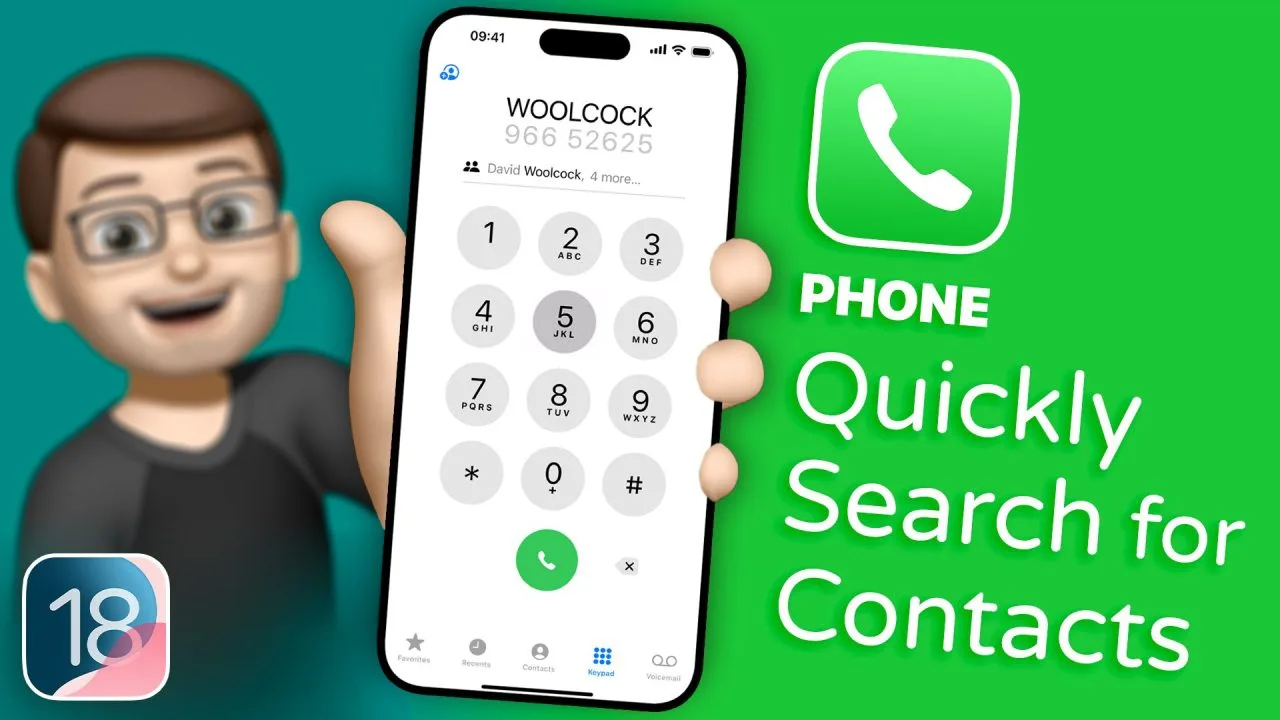
In the Phone app, start typing in a phone number on the keypad. It will automatically search contacts for you and suggest different people's contacts that match the number you're typing in at the top.
Spell out a name with T9
Use the numbers on the keypad to spell out someone's name, a bit like when you used to have a phone where you texted by pressing each number multiple times to get a different letter. At the top of your screen, it will find all the contacts that match and autocomplete it for you.
Tap the name to call
Just like you'd expect, tap on the name at the top and it will start to call that person for you as quickly as that.
Transcript
The Phone app on iOS 18 has had a couple of nice updates that make it a little bit easier and quicker to use. One of those is the fact that you can now search for your contacts from the keypad as you’re typing in a phone number. If I simply start typing in someone’s random phone number, it will automatically search contacts for me, and you can see it suggesting people at the top there. Obviously, I’ve blurred out their names and numbers, but it will suggest different people’s contacts that match the number you’re typing in at the moment.
But there’s actually a clever way of searching here, and it’s called T9 searching. This is a bit like when you used to have a phone where you texted by pressing each number multiple times to get a different letter. You can use those numbers on your iPhone to search contacts in your address book. So, if I’m going to search for “Wock” to find all of my family members, I can simply start typing that in by using the numeric keypad, so 9665 to spell out W-L, and then at the top of my screen, it will find all the contacts that match those names.
This saves me from having to open the Contacts app and then find a particular contact, because now in the phone keypad, I can simply start typing their name, and it will autocomplete it for me. Just like you’d expect, if you tap on the name at the top, it will start to call that person for you as quickly as that.
That’s just one way your iPhone is better with iOS 18 because of the new functionality it unlocks. But you’ll notice this is quite a hidden feature. In fact, there are tons more hidden features that you probably should know about, so please do check out my channel to learn more about them. Or, if you’d like to have a hundred little bursts of inspiration and ideas all in one go, you can download my ebook from the link below. It’s called “100 Quick Tips for iOS 18,” and I guarantee there’ll be things in there that you never knew your phone could do now that you’ve updated. So, I’ll see you next time for more quick tips for your iPhone.
Frequently Asked Questions
How do I search my contacts from the keypad on iPhone?
On iOS 18, start typing in the Phone app keypad and it will automatically search contacts for you, suggesting people that match at the top. You can type part of a number or use the keypad numbers to spell out a name.
What is T9 search on iPhone?
It's a bit like when you used to have a phone where you texted by pressing each number multiple times to get a different letter. You can use those numbers on your iPhone keypad to search contacts in your address book.
Which version of iOS added T9 search to the Phone app?
It's one of the updates to the Phone app in iOS 18, so you'll need to have updated to iOS 18 to use it.
Disclaimer and trademarks
The content used in this video is intended for educational and informational purposes only. All rights to the images, music, clips, and other media used belong to their respective owners. I do not claim ownership over any third-party content used. This video has not been authorised, sponsored, or otherwise approved by Apple Inc. iPhone is a trademark of Apple Inc., registered in the U.S. and other countries and regions. iOS is a registered trademark of Cisco Systems Inc. Whilst I have done my best to list all applicable trademarks for this video, in the (hopefully unlikely) event that I have missed any you can find a full list of trademarks registered to Apple Inc. on their website. Finally, please note that whilst every effort has been made to ensure the information contained within this video was correct at time of publication, please be aware that as future updates and software changes occur some or all elements of this video may become outdated. I will endeavour to remove videos which are completely obsolete so as not to cause confusion!